Published: Updated:
Recipe to PDF: How to Turn a Recipe Into a Clean, Printable PDF
If you searched for “recipe to PDF,” you probably do not need a lecture about file formats.
You have a recipe. You want a clean PDF.
Maybe the original webpage is full of navigation and pop-ups. Maybe you want to print the recipe for the kitchen. Maybe you are keeping an offline copy for a trip. Or perhaps you want to send a readable file to someone who does not need the entire website around it.
There are several ways to convert a recipe to PDF. The quickest is not always the cleanest, and the cleanest is not always the best long-term place to keep an editable recipe.
The three practical ways to save a recipe as PDF
1. Print the webpage to PDF
Every modern browser can usually do this through Print → Save as PDF.
It is fast and requires no special tool. It is also unpredictable. A good recipe site's print stylesheet may produce an excellent result; another page may include a long introduction, empty ad spaces, navigation, repeated images or awkward page breaks between the ingredients and instructions.
Use browser print when the preview already looks good and you simply need a faithful snapshot.
2. Copy the recipe into a document first
You can paste the recipe into Word, Google Docs or another editor, clean the formatting, and export the document as PDF.
This gives you control, but it also gives you a small formatting job every time. Ingredient spacing, numbered steps, headings, page breaks and photos all need attention.
It makes sense for a recipe you want to design manually. It is inefficient for a collection.
3. Use a structured recipe-to-PDF workflow
A recipe PDF converter is most useful when it understands the recipe as a recipe rather than as a random webpage.
The title stays a title. Ingredients stay grouped. Instructions stay in order. Servings, times, notes and source information can be presented consistently. Once the recipe has been reviewed in a structured form, the PDF becomes an output rather than a screenshot of the internet.
Cookmory's URL importer follows that workflow. You can review an import draft and download its PDF in guest preview. For a recipe already saved in your collection, PDF export requires confirmed Pro access.
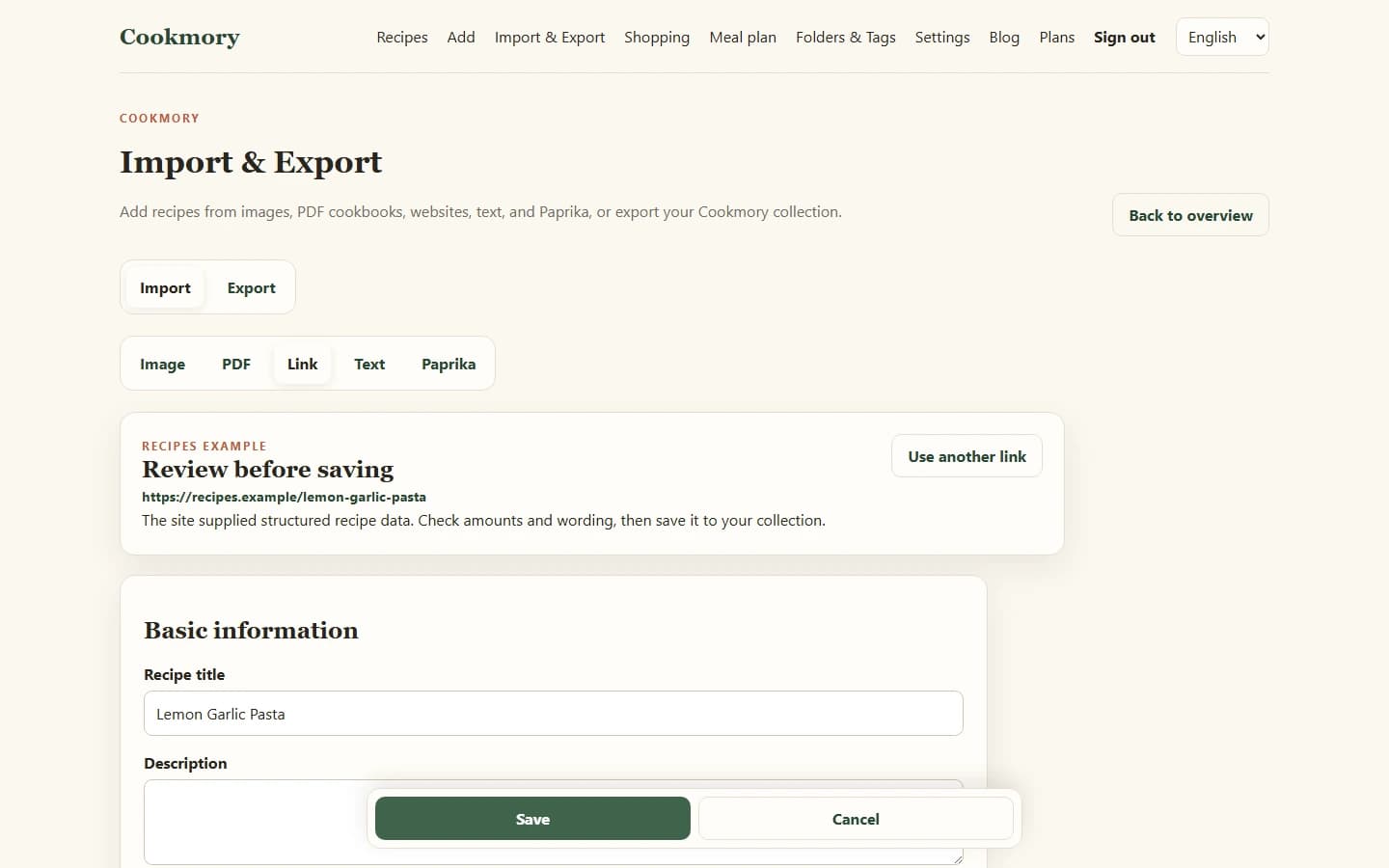
How to turn a recipe into PDF with Cookmory
In Cookmory, the useful workflow is simple.
1. Start with the recipe source
Open Cookmory's importer and add the recipe using a supported source. If it comes from a public webpage, a URL is usually the cleanest starting point. For a saved recipe, open its own page to find the Pro PDF export.
If the source itself needs to become a saved recipe first, this guide to importing recipes explains the URL, image, PDF and text options.
2. Review the extracted recipe
Do not generate the file before checking the recipe.
Look at quantities, ingredient groups, temperatures, times and the order of the instructions. A beautiful PDF with a missing `1/2` is still a bad recipe.
3. Generate the PDF
Create the file once the recipe looks right. A good recipe PDF should prioritise the information you need while cooking: title, ingredients, method and the useful supporting details.
4. Open the result once
Check the first and last page before you archive or print it.
Make sure:
- no ingredient list is cut in half unnecessarily;
- a heading is not stranded alone at the bottom of a page;
- long steps remain readable;
- the source is present when appropriate;
- the text is large enough for the way you plan to use the file.
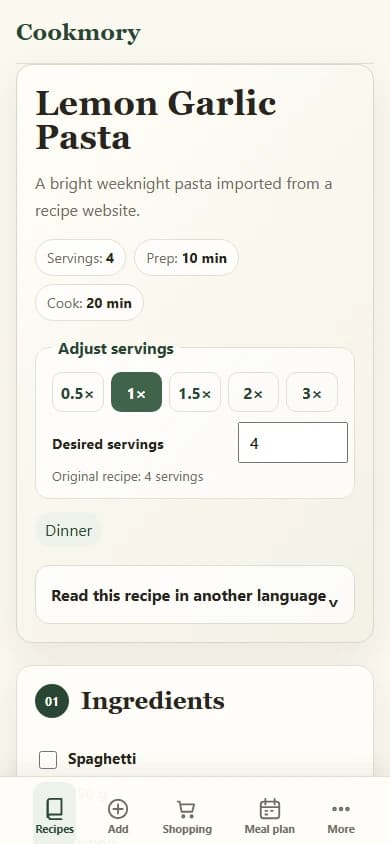
What makes a recipe PDF good?
A recipe PDF does not need magazine design to be useful.
It needs hierarchy.
At a glance, you should be able to distinguish:
- what the dish is;
- how much it makes;
- what you need;
- what you do;
- any notes that matter;
- where the recipe came from.
The ingredient list should not be buried inside prose. The method should not become one dense paragraph. Decorative elements should never make the type smaller than is comfortable to read beside a chopping board.
A clean one- or two-page recipe often beats a beautiful four-page one.
Recipe URL to PDF: why a structured copy is cleaner than a webpage print
A recipe webpage is designed for a browser. It may contain navigation, related recipes, newsletter prompts, comments, advertisements, video players and long-form editorial text alongside the actual recipe.
A PDF made directly from the page has to decide what to do with all of that layout.
A structured import approaches the problem from the opposite direction. First identify the recipe information. Then format that information for PDF.
This is also why a structured copy is useful when saving recipes from websites: once the recipe is separated from the page chrome, you can use it for more than one output.
Keep the recipe editable somewhere else
PDF is an excellent final format. It is not an excellent editing format.
Suppose you cook the dish and discover that it needs ten more minutes in your oven. If the PDF is your only master copy, you now have to regenerate or edit a document simply to record one kitchen note.
A better pattern is:
structured recipe → edits and personal notes → PDF when you need a fixed copy
That gives you both things: a recipe that can keep improving and a file that is easy to print, archive or send.
If you are building more than a handful of recipes, an online cookbook is a more practical master collection than a folder containing hundreds of unrelated PDFs.
When a PDF is the right format
A PDF is especially useful when you want to:
- print a recipe without the surrounding webpage;
- keep a stable copy for travel or a temporary offline situation;
- send a recipe in a familiar document format;
- include a recipe in a personal archive;
- prepare a fixed version before printing a larger cookbook.
It is less useful when you mainly want fast search, ingredient filters, serving adjustments, meal planning or frequent editing. Those tasks are better handled by the structured recipe before export.
Do not confuse recipe-to-PDF with PDF recipe import
These are opposite workflows.
If you have one recipe and want a PDF, use the recipe-to-PDF flow.
If you have a PDF cookbook and want the recipes inside it, use a PDF recipe importer. The full process is explained in How to Import Recipes from a PDF Cookbook.
Keeping the distinction clear avoids a surprising amount of unnecessary copying.
Preserve the source when the recipe is not yours
Turning a recipe into a PDF for your own kitchen is different from republishing somebody else's work.
Keep the original website, book or creator attached to the recipe when possible. Do not remove attribution and redistribute someone else's full recipe or photography as your own publication.
A personal PDF can contain your own substitutions, notes and cooking results without pretending the original recipe came from you.
FAQ
How do I convert a recipe to PDF?
You can print the original webpage to PDF, copy the recipe into a document and export it, or use a structured recipe-to-PDF tool. The structured approach usually produces a cleaner result because it formats the ingredients and instructions as recipe data rather than printing the whole webpage.
Can I save a recipe website as PDF?
Yes. The simplest method is the browser's Print command with “Save as PDF.” Check the print preview first because some websites include navigation, ads, large images or awkward page breaks.
Can I turn a recipe URL into a clean PDF?
Yes, when the source page is accessible and its recipe information can be read. A recipe-to-PDF tool can extract the useful recipe content, let you review it, and create a cleaner file than a raw webpage print.
Should I keep the source URL in the PDF?
Usually yes. Keeping the source makes the recipe easier to verify later and preserves attribution to the original creator.
Is PDF a good format for a whole recipe collection?
It is good for fixed editions, printing and archiving. For a collection you edit frequently, a structured online cookbook is easier to search, update and use for planning. Export PDFs when you need a stable copy.
What is the difference between recipe to PDF and importing recipes from PDF?
Recipe to PDF turns one structured recipe into a PDF file. Importing recipes from PDF takes a cookbook PDF and extracts the recipes inside it into editable entries.
Make the PDF from the recipe, not from the clutter around it
If the browser print preview already looks perfect, use it.
If it does not, do not spend ten minutes deleting navigation and fixing page breaks by hand. Open the Cookmory Recipe to PDF tool, review the recipe itself, and create the clean copy from there.