Published:
Paprika Alternative: How to Move Your Recipes Without Starting Over
Looking for a Paprika alternative usually means you already have something valuable: a recipe collection you do not want to rebuild.
Choosing a recipe manager for the first time is mostly about features. Switching after years of saving recipes is about migration too. A new tool is not useful if moving hundreds of recipes means copying every ingredient and instruction by hand.
Start with a practical question: Can I move my library safely, check the result, and keep a backup if I change my mind?
First, decide whether you actually need to switch
If Paprika already does what you need, there is no reason to move simply because another tool exists. Switching makes sense when you have a specific problem: importing from several sources, organising a large collection, planning meals, building shopping lists, sharing a household workflow, or keeping a portable backup.
Paprika is also still evolving. As of 29 September 2026, Paprika 4 is in open beta. Its official announcement includes recipe photo scanning, social-link and clipboard import, advanced search, and family sharing. It also says that premium features will require a subscription after the beta, without announcing a price. Compare against the current product rather than an old Paprika 3 feature list.
Write down the two or three reasons you are considering a change. A longer feature list is not automatically a better fit.
What to compare in a Paprika alternative
Migration before anything else
Make an export using Paprika's current documentation, keep the original file untouched, and test it in the new tool. A successful upload is not necessarily a successful migration. Open real recipes and check titles, ingredients, quantities, directions, servings, times, source links, notes, organisation data, and photos where supported.
How you add recipes after the migration
Migration happens once; everyday importing matters for years. Think about where new recipes actually come from: websites, screenshots, cookbook photos, PDFs, copied text, or recipes you write yourself. Cookmory supports recipe import from website links, photos/screenshots, PDFs, and text in the same collection.
How the collection stays usable
Moving 500 recipes is not useful if finding one becomes harder. Look for search, folders or categories, tags, favourites, notes, and source information. The guide on how to organize recipes digitally has a deliberately simple system: broad folders for browsing, tags for overlapping details, and search as the safety net.
What happens after you find a recipe
Consider the next action: adjusting servings, adding a meal to the week, building a shopping list, following steps while cooking, or adding notes after you make it. Similar-looking collections can feel very different in daily use.
Your exit path
Keep the original Paprika export. Before committing, check how you can retain a backup of the new collection too. Do not delete the old library just because the first import looks successful.
A safe way to move from Paprika to Cookmory
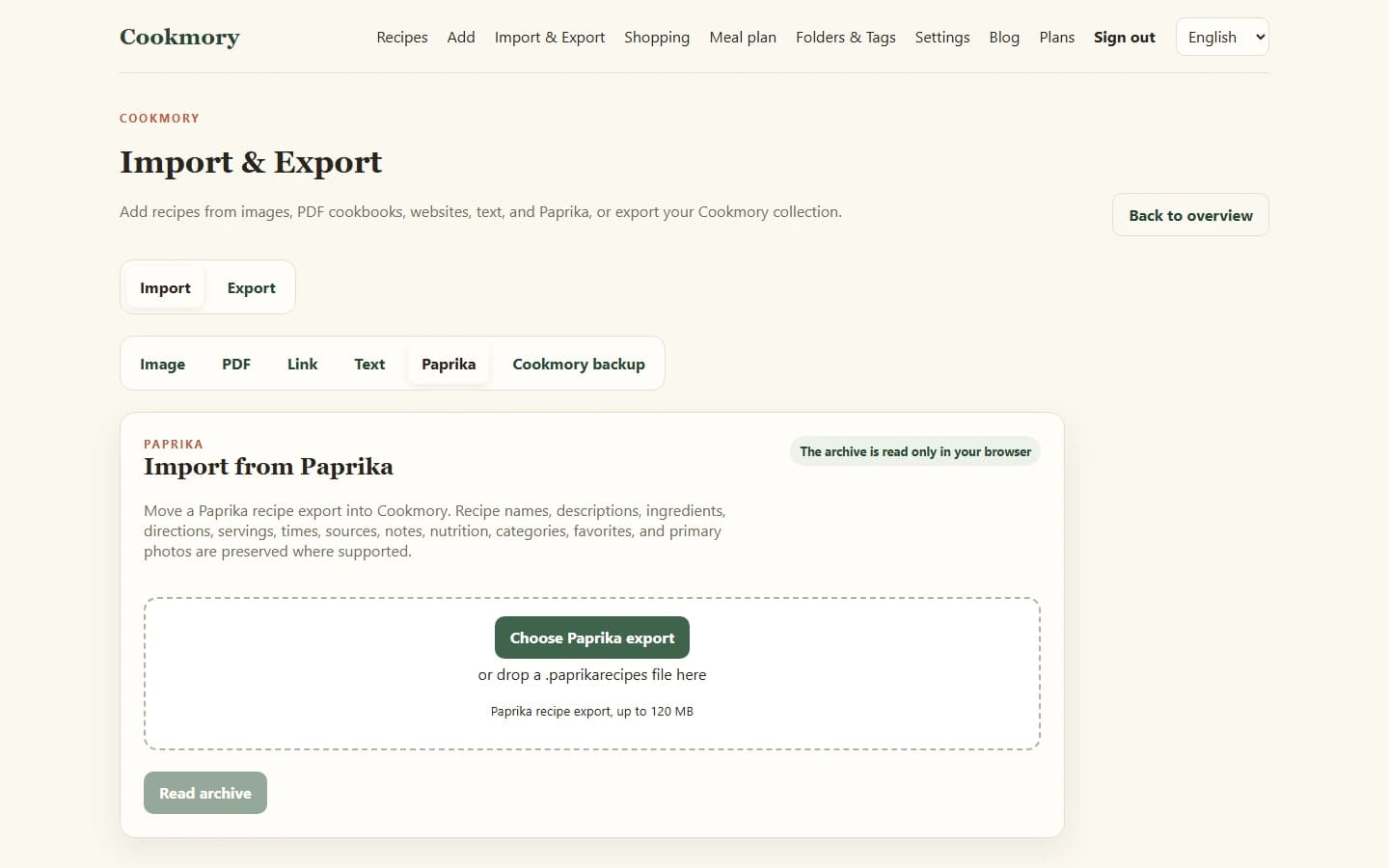
Cookmory imports a .paprikarecipes collection or individual .paprikarecipe files. Its in-browser importer reads recipe names, descriptions, ingredients, directions, servings, times, sources, notes, nutrition, categories, favourites, and primary photos where the export contains supported data. Categories are brought in as Cookmory tags.
Step 1: Create a fresh export
Use Paprika's current export method and save the resulting file somewhere you will not accidentally overwrite. That file is your rollback point.
Step 2: Start with a representative sample when possible
Include a simple recipe, one with many ingredients, one with notes, one with a source link, one with categories, and one with a photo if that matters to you. A mixed sample finds problems faster than checking many similar recipes later.
Step 3: Upload the export in Cookmory
Use the dedicated Paprika import screen instead of copying recipes one at a time.
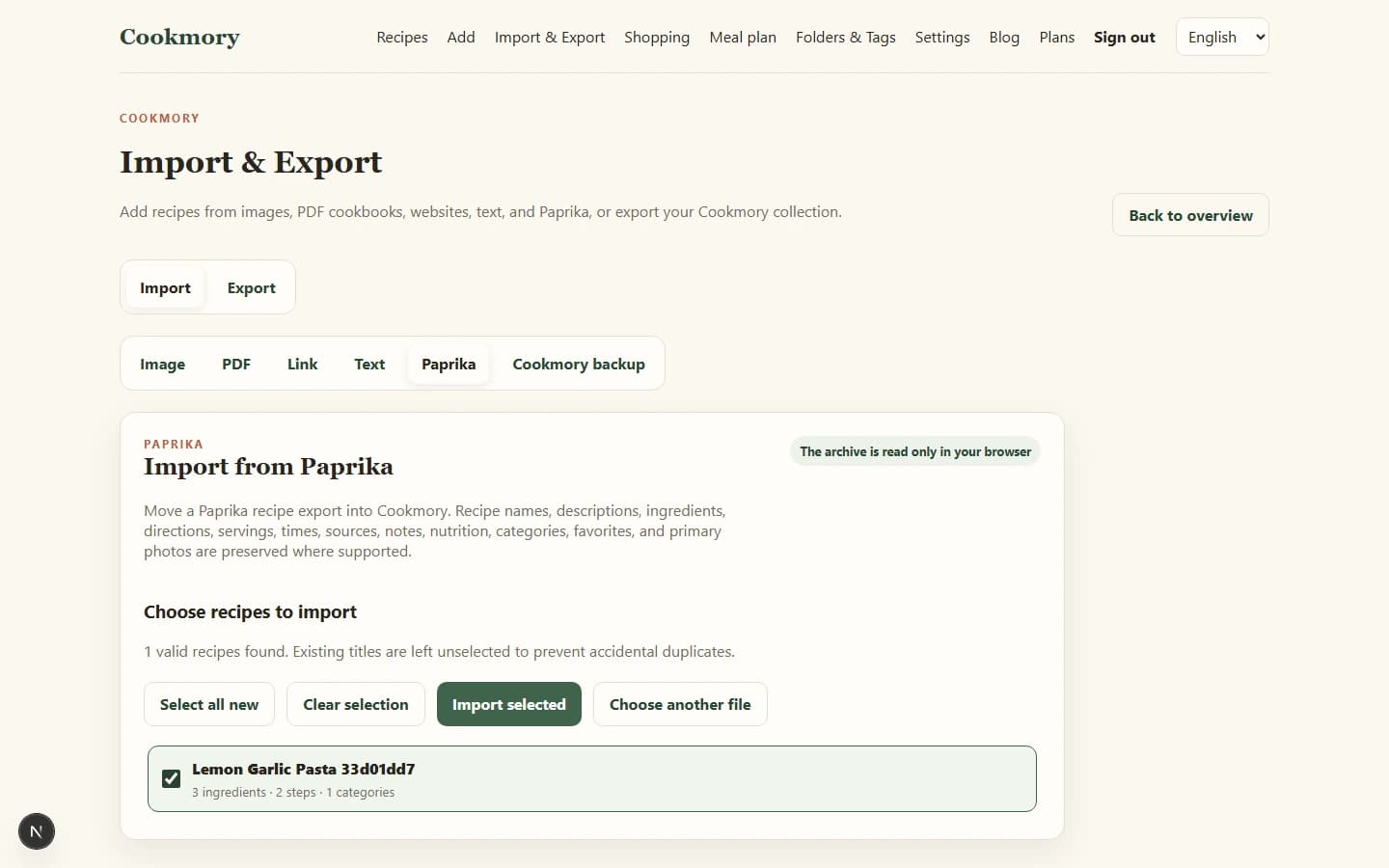
Step 4: Review before saving
Cookmory shows the imported recipes for selection before it saves them. Check more than the recipe count: inspect quantities, directions, notes, and source information on a representative sample.
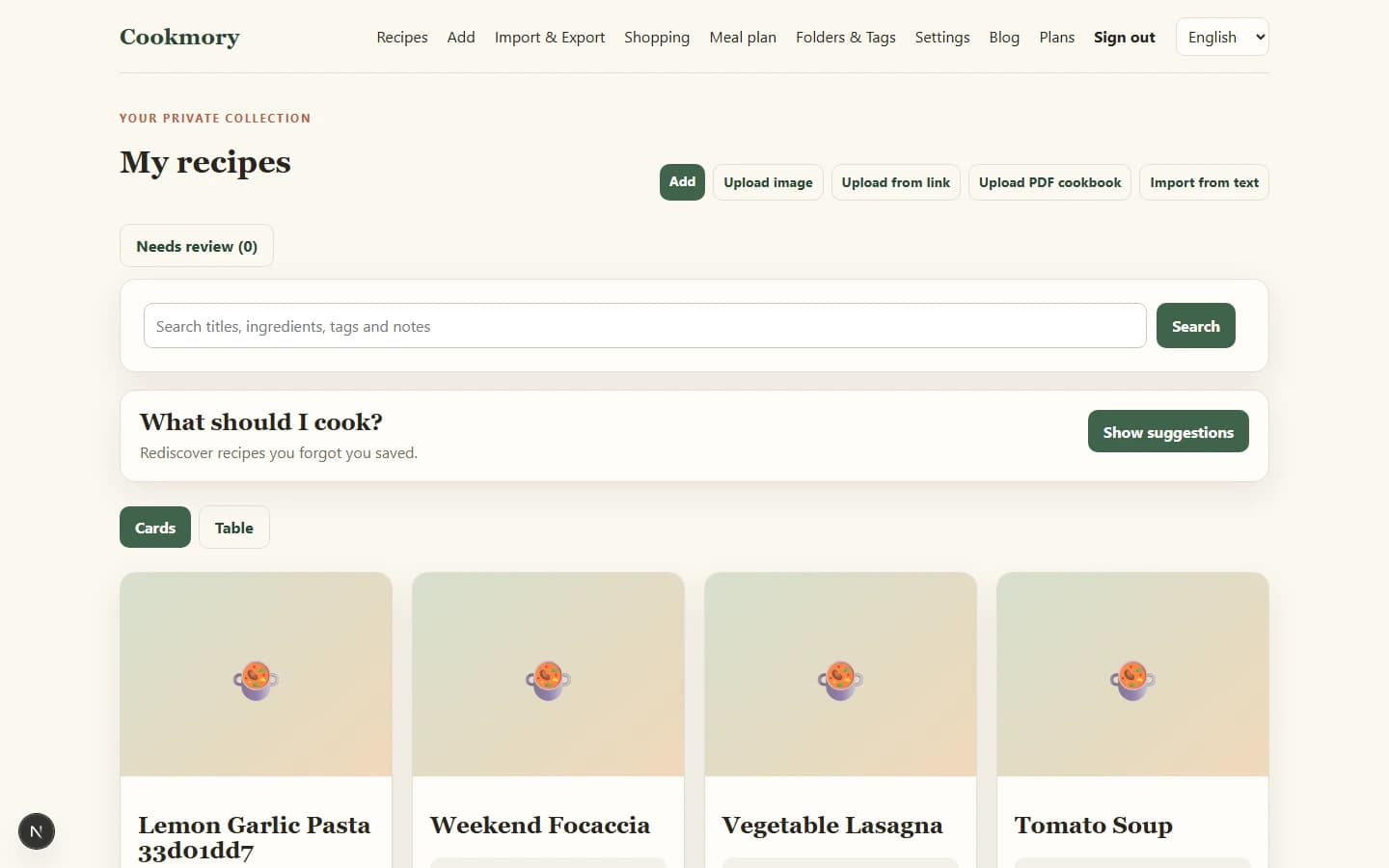
Step 5: Use the new collection before deleting anything
Search it, open several recipes, add a few meals to the week, and make a shopping list if that is part of your routine. The goal is not merely to prove that data arrived. It is to see whether the new workflow is useful enough to justify switching.
Compare workflows, not marketing checklists
| Question to test | Why it matters |
|---|---|
| Can I import my existing library? | Avoids rebuilding recipes manually |
| Can I add recipes from my real sources? | Determines everyday friction |
| Can I search and organise a large collection? | Matters as the library grows |
| Can I adjust servings and plan meals? | Connects the collection to cooking |
| Can I create shopping lists? | Connects planning to grocery shopping |
| Can I keep a portable backup? | Reduces lock-in risk |
There is no need for a misleading winner-and-loser table. Test the questions that made you consider moving in the first place.
When Cookmory may be useful
Cookmory is worth testing if you want to bring recipes from different sources into one searchable collection, then use that collection for planning, shopping, and cooking. The dedicated Paprika importer gives existing users a practical way to test the migration without retyping the library.
When staying with Paprika may be better
Migration is not automatically an upgrade. Staying may make more sense if your collection is already organised exactly as you like, you rely on a workflow Cookmory does not support, important fields do not migrate as you need, or verification would not be worth the expected benefit.
FAQ
Can I move recipes from Paprika without retyping them?
Cookmory has a dedicated import for Paprika collection and recipe export files. Keep a backup, test the import, and inspect representative recipes before making any irreversible changes.
What should I check after importing Paprika recipes?
Compare titles, quantities, directions, servings, notes, source links, categories/tags, and photos where relevant. Do not judge the migration only by the number of recipes.
Should I delete Paprika after importing recipes elsewhere?
Not immediately. Keep the original export and old library until you have cooked from, searched, and organised the migrated collection long enough to trust it.
Can Cookmory import recipes from sources other than Paprika?
Yes. Cookmory supports website links, photos and screenshots, PDFs, and text as recipe-entry workflows. See the recipe importer for the current options.
Test the migration before moving the whole kitchen
Back up Paprika, import a representative sample, compare the results, and use the new collection in real life before committing to a full move.
Import your Paprika recipes into Cookmory
Test a real export before you decide whether the new workflow suits the way you save, plan, and cook.