Cookmory on your Home Screen
Add Cookmory to your phone
Keep your recipes, meal plan, and shopping list one tap away. Add the Cookmory icon to your Home Screen and open it like an app.
Choose your phone
Watch the quick guide
Prefer to follow along? This short video shows every tap.
Use Safari for these steps.Step-by-step instructions
- 01
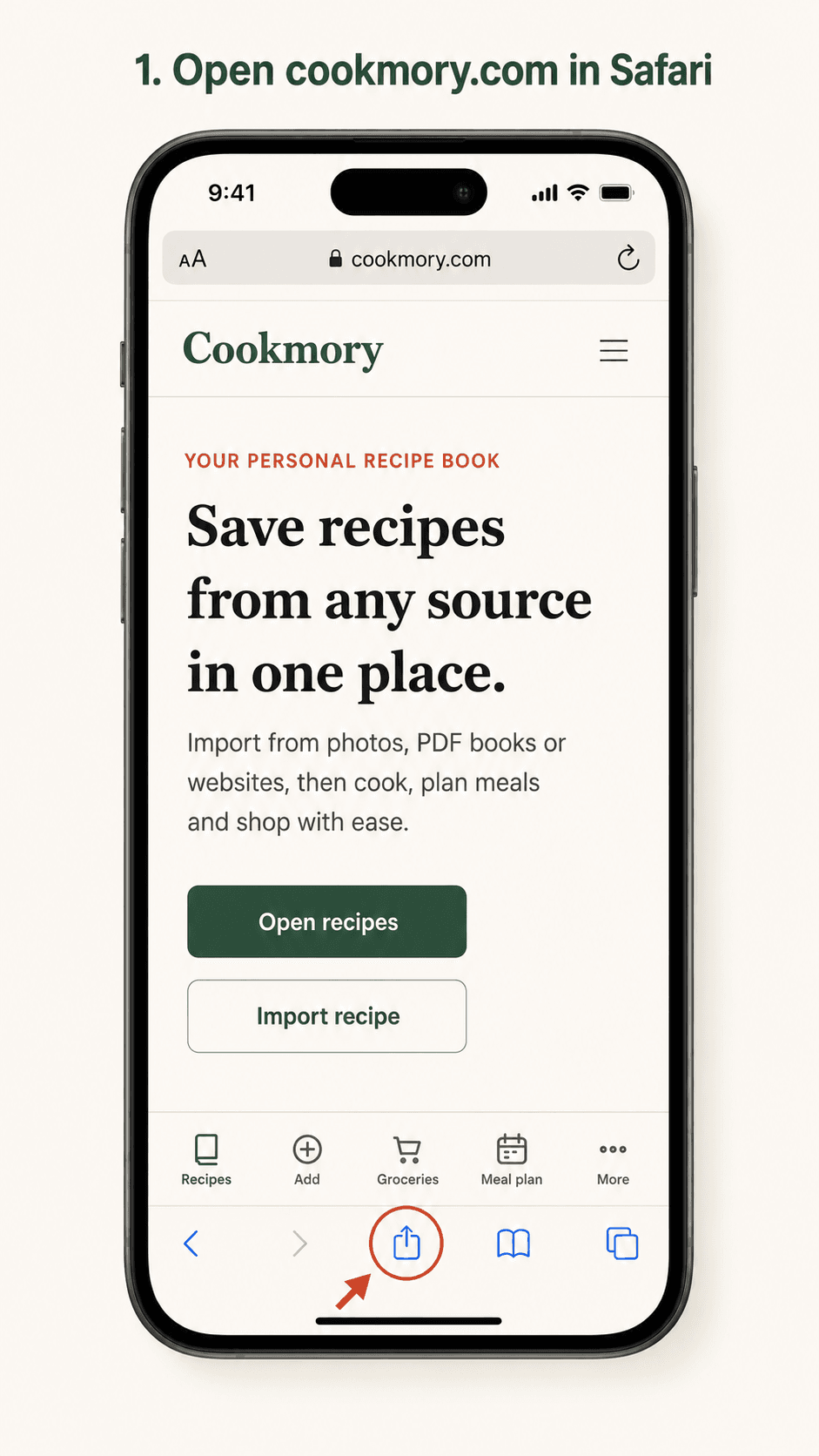
Open cookmory.com in Safari and tap the Share button.
- 02
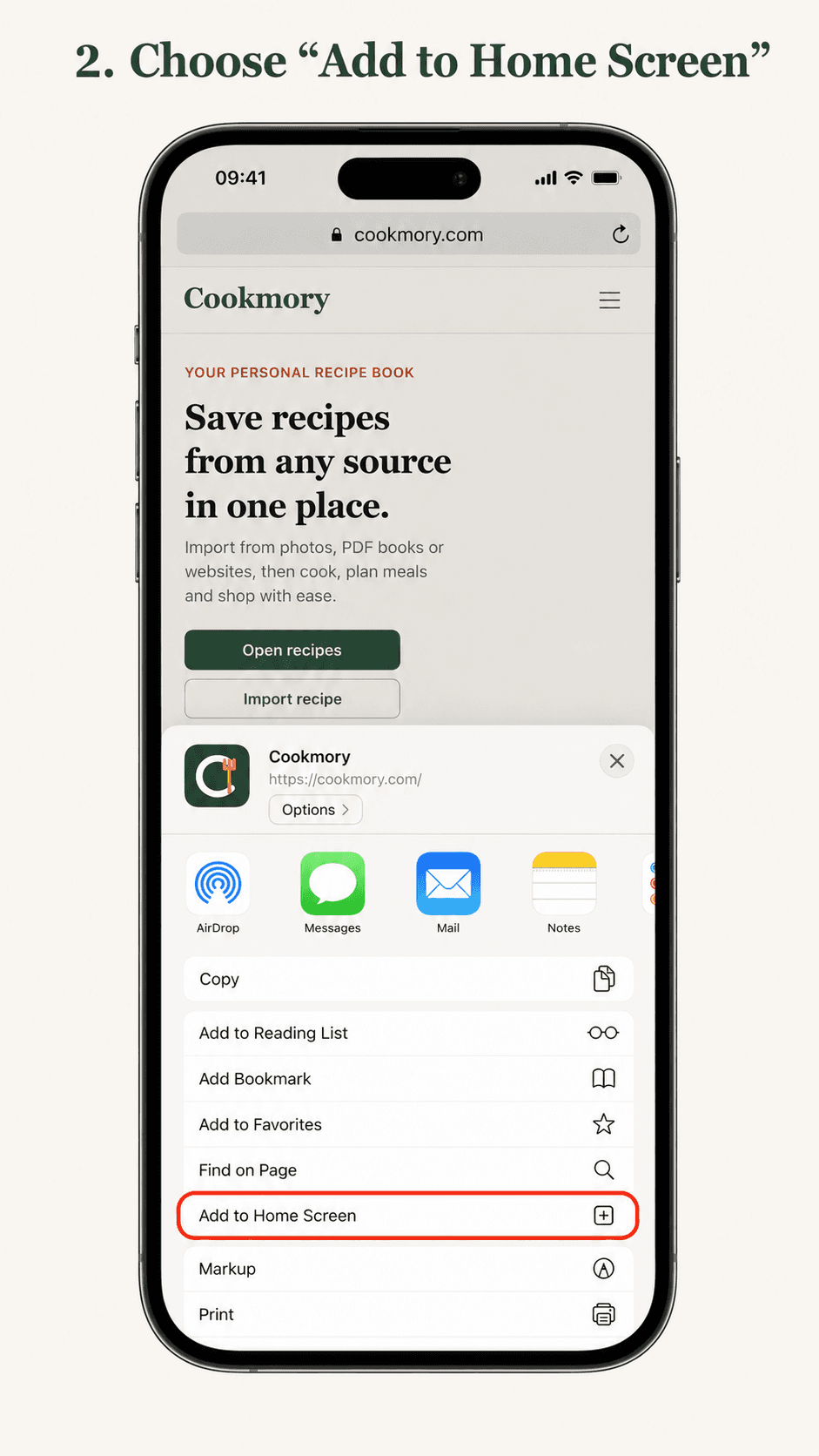
Choose “Add to Home Screen”.
- 03
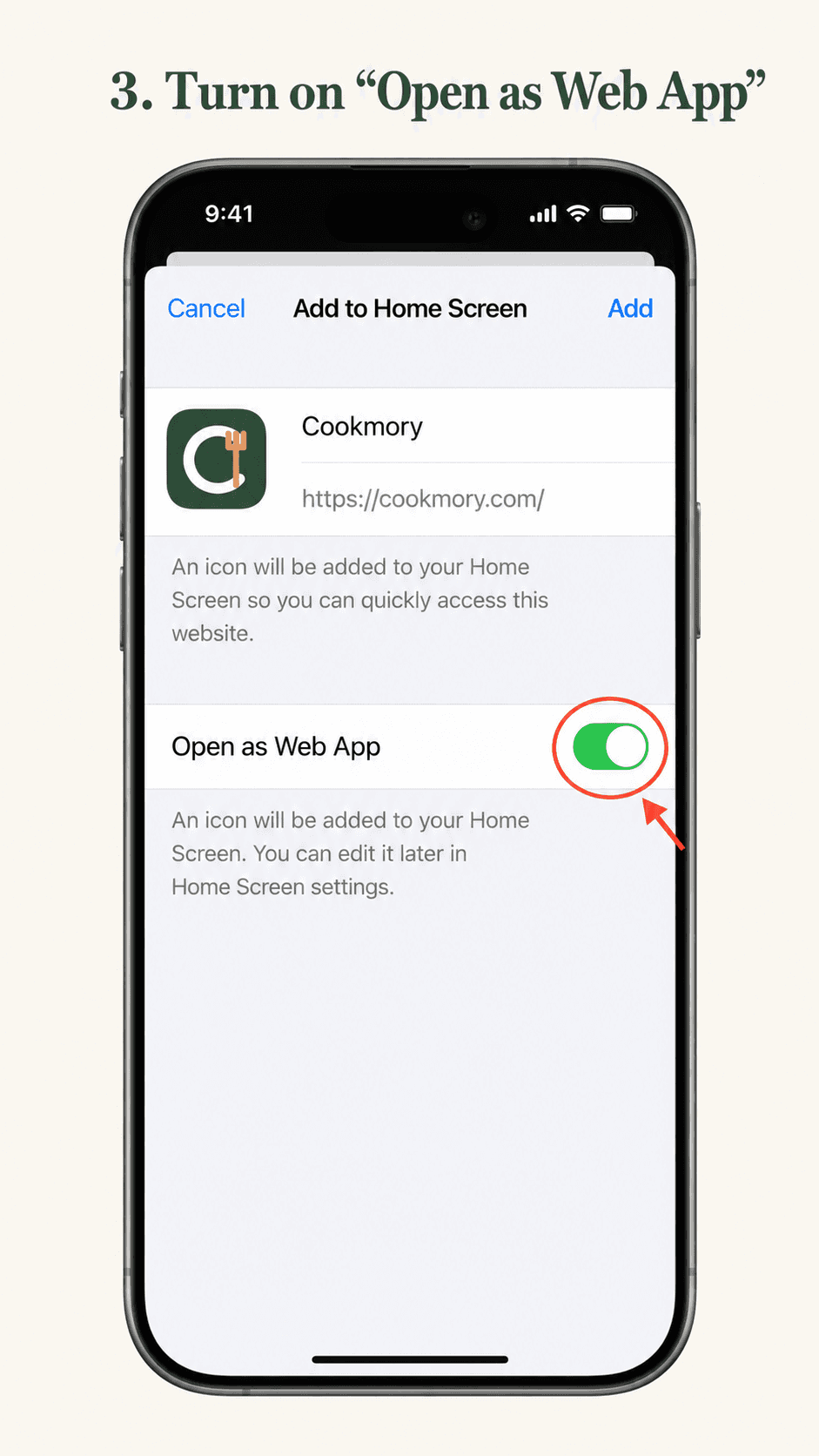
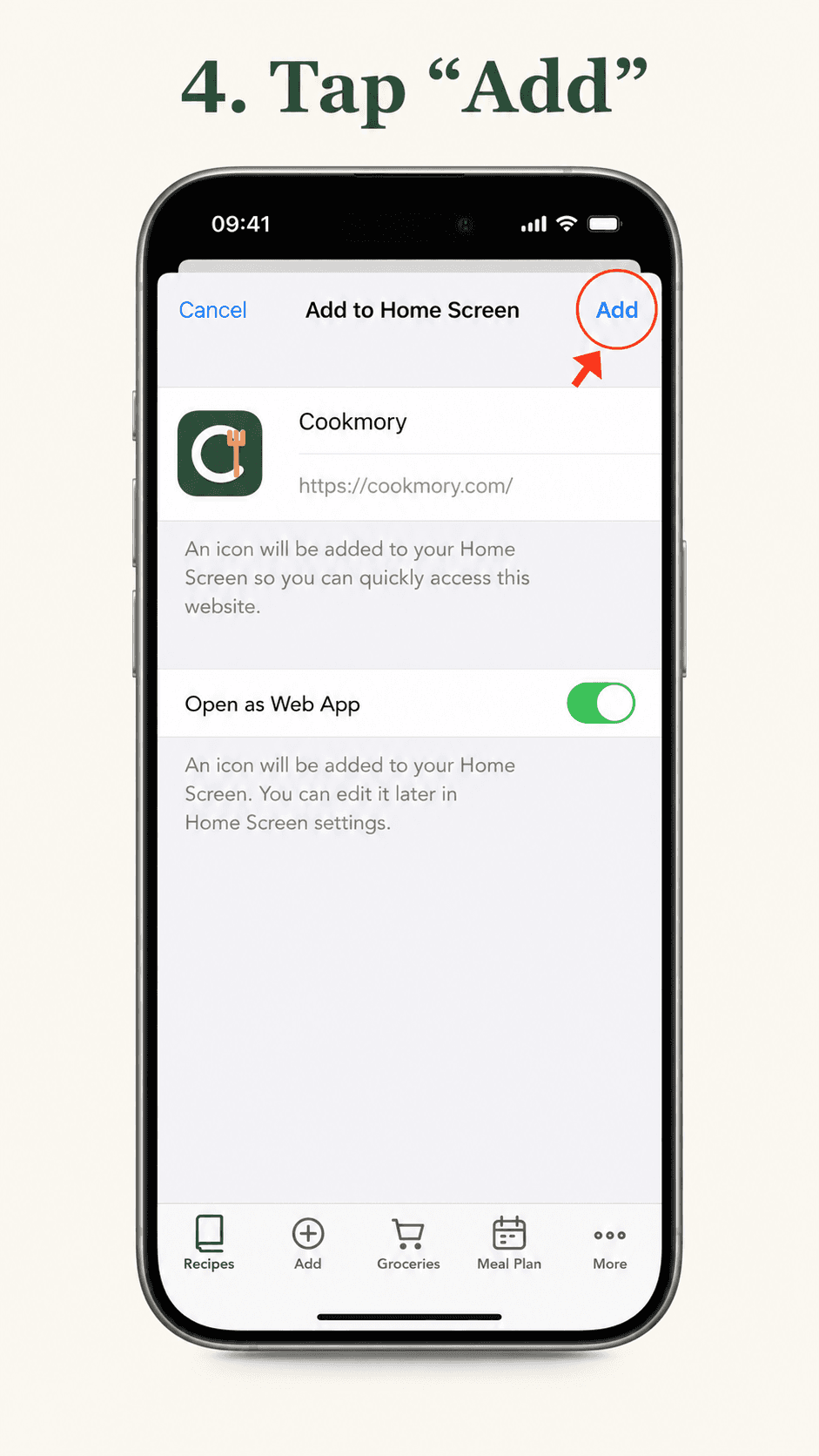
Turn on “Open as Web App”.
- 04
Tap “Add”.
- 05
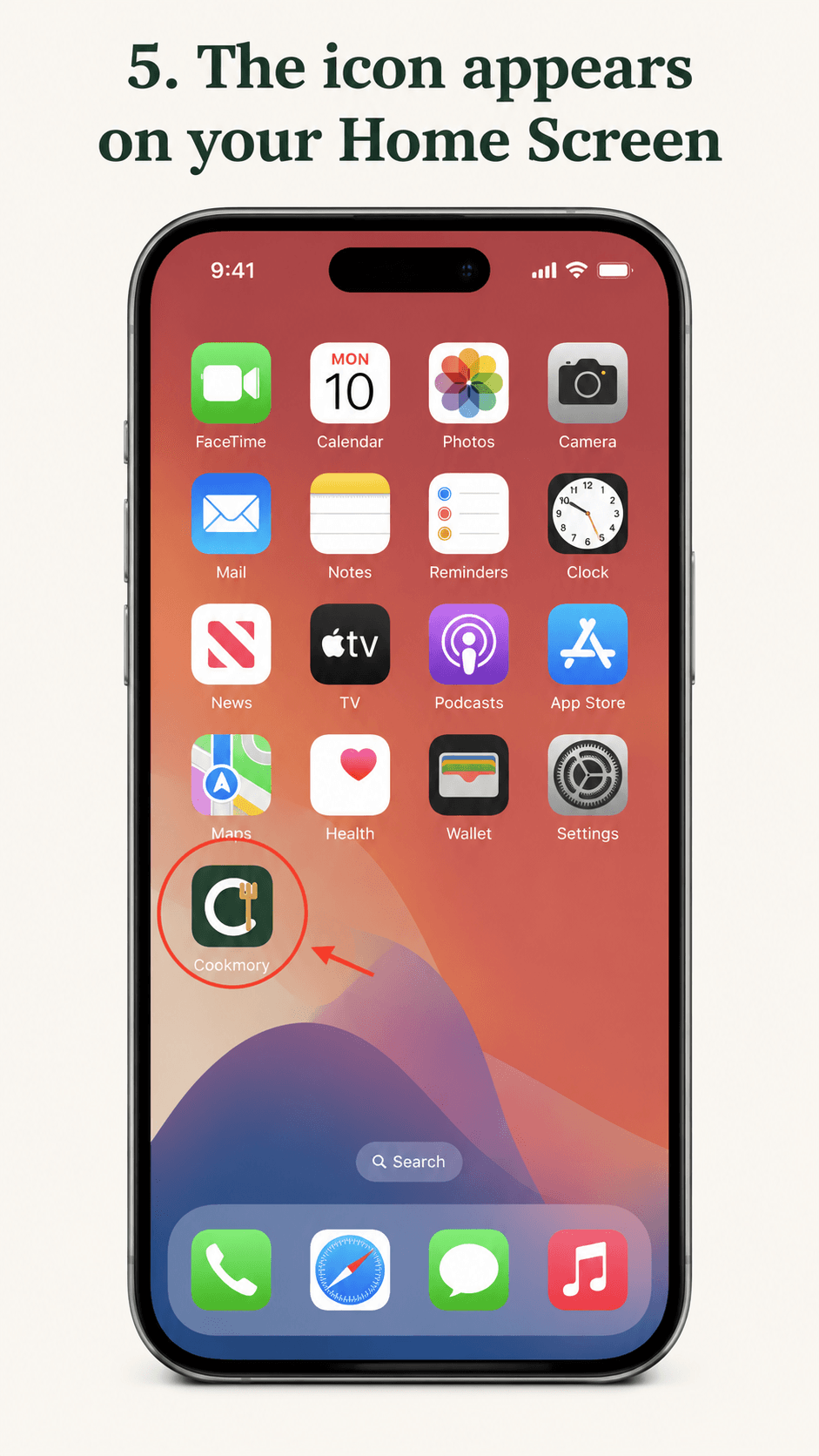
The Cookmory icon will appear on your Home Screen.
- 06
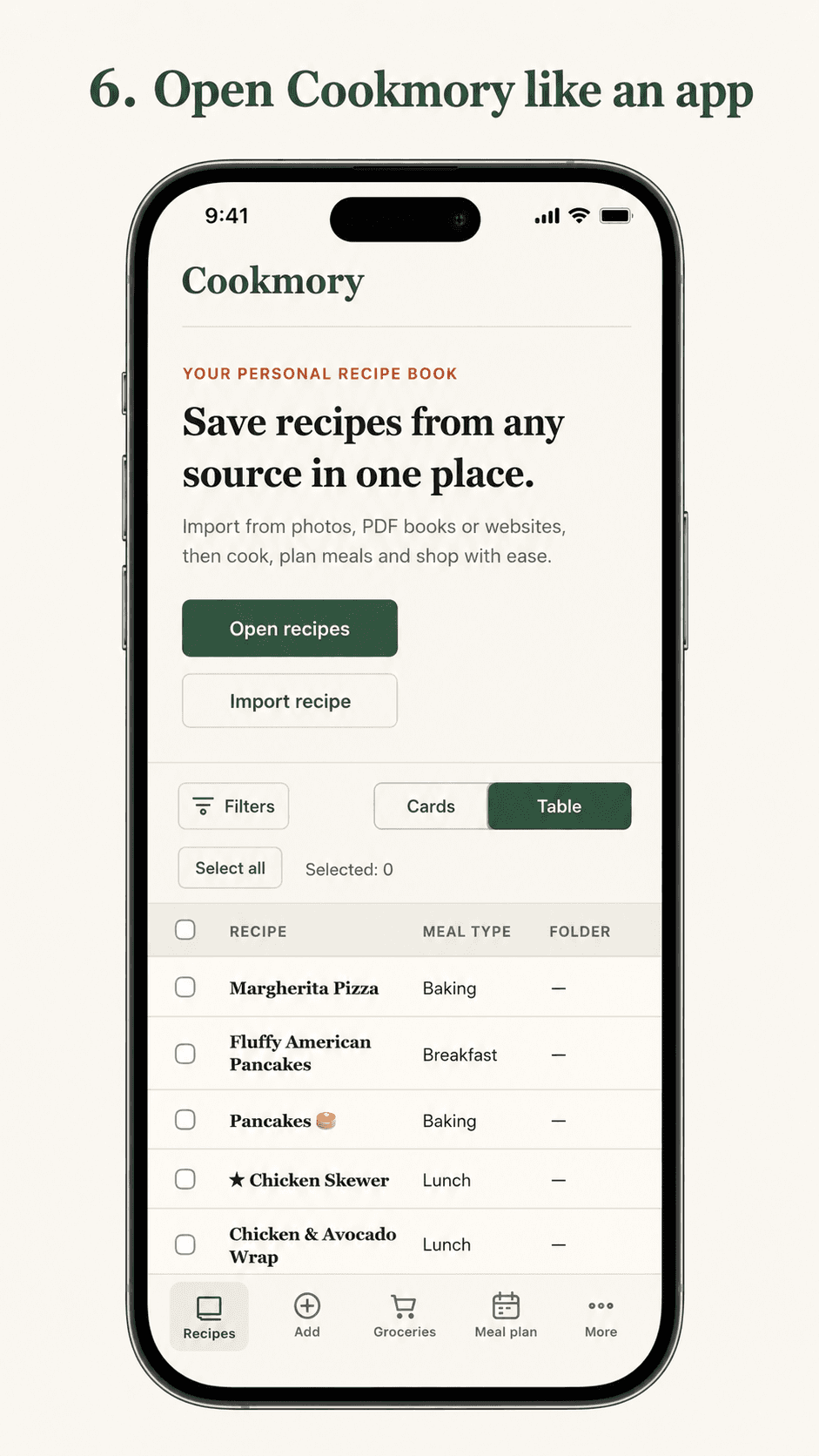
Open Cookmory like an app whenever you need it.